Kick Chat Bot: What a Bot Does, Which Ones Support Kick, and What It Cannot Do
A Kick chat bot is an account that sits in your chat and does jobs on its own: answers !commands, posts reminders on a timer, deletes messages that break your rules, and thanks people for following. Almost every Kick channel past its first few streams runs one, and for good reason — it takes the repetitive work off you and your moderators.
This guide covers what a bot is actually good for, which ones support Kick, how to set one up, and the one job people expect from a bot that no bot does.
What a Kick chat bot does
- Custom commands — !discord, !socials, !specs, !rules. A viewer types the command and the bot replies with the text you set.
- Timed messages — a reminder posted every so often, like a follow prompt or a link to your Discord.
- Auto-moderation — deleting links, blocked words, walls of caps or emote spam before a human has to.
- Alerts and announcements — "Thanks for the follow", sub and tip messages, raid shout-outs.
- Loyalty points, giveaways and mini-games — on bots that include them.
All of these are rules: when X happens in chat, do Y. That's exactly what a bot is good at, because it never gets tired and never misses a trigger.
Chat bots that support Kick
These are the names that come up most when Kick streamers ask which bot to use. We aren't affiliated with any of them; this is what each one says it does.
- Botrix — free software for Kick, Twitch, Trovo and YouTube streamers: commands, alerts, donation goals and clip commands from chat.
- KickBot — built specifically for Kick: custom commands, moderation, timed messages and AI replies. It has a free plan with limits on how many custom commands you can enable.
- Streamlabs Cloudbot — the Streamlabs bot, now with Kick support: custom commands, cooldowns and timers.
Before adding any of them, check what Kick already gives you. Slow mode, followers-only mode, banned terms and timeouts are built in, and for a small channel they cover most moderation on their own — the full list of Kick chat commands is shorter than you would think.
How to set one up
- Sign in on the bot's website with your Kick account and enable the bot for your channel.
- Type /mod followed by the bot's account name in your own chat. Without mod status, Kick may filter the bot's messages, and it can't delete anyone else's.
- Add 3 or 4 commands you actually get asked about — usually !discord, !socials and !rules. A long list nobody uses is clutter.
- Keep timers rare. One reminder every 15–20 minutes is a nudge; one every 3 minutes is spam you're sending yourself.
- Test it from a second account before you go live.
Chat bots vs bought "chat activity"
Search for "kick chat bot" and you'll also find services selling fake chatters — accounts that post generic messages to make a stream look busier. That's a different thing entirely. Kick's guidelines prohibit botting and inflating metrics, and reports on the updated rules say offenders can be kept out of the Creator Incentive Program. Kick itself separates the two: its chat list puts command bots in their own category, apart from viewers.
Fake chat also defeats its own purpose. Real viewers can tell when chat is talking past the stream, and a channel that looks busy but never answers anyone is exactly why new viewers leave. A quiet chat is fixable; here's how to keep one going.
“A bot follows rules. It doesn't read.”
What a chat bot can't do
A bot follows rules. It doesn't read. It can delete a message containing a banned word, but it can't tell you that 6 people asked the same question about your settings in the last 2 minutes, that the room turned sour after a bad round, or that the message being repeated 40 times is a scam link rather than a hype wave. Those are reading problems, and a rules engine has no answer to them.
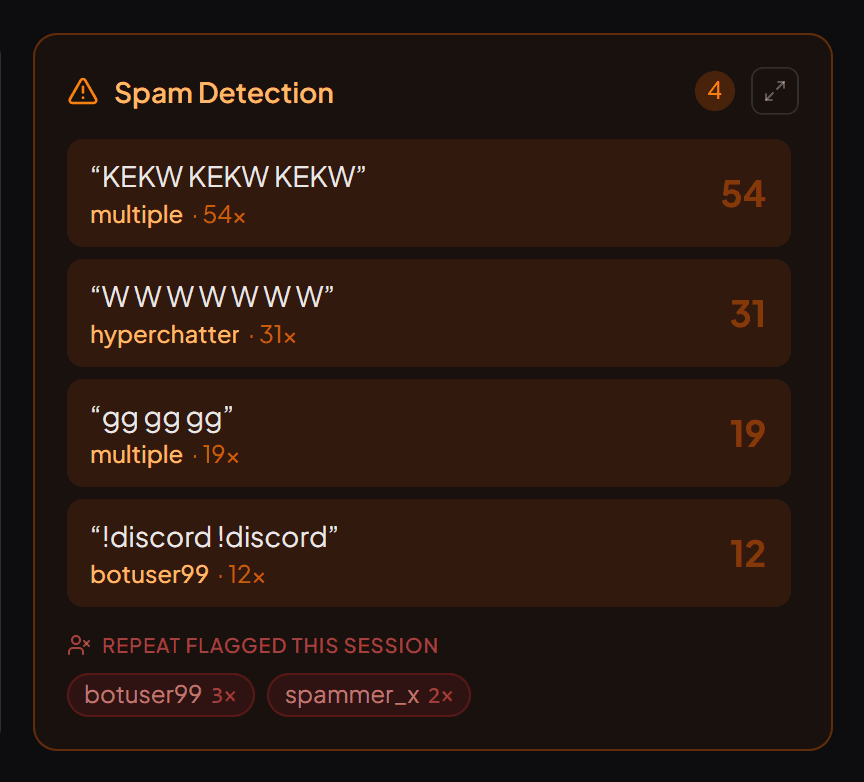
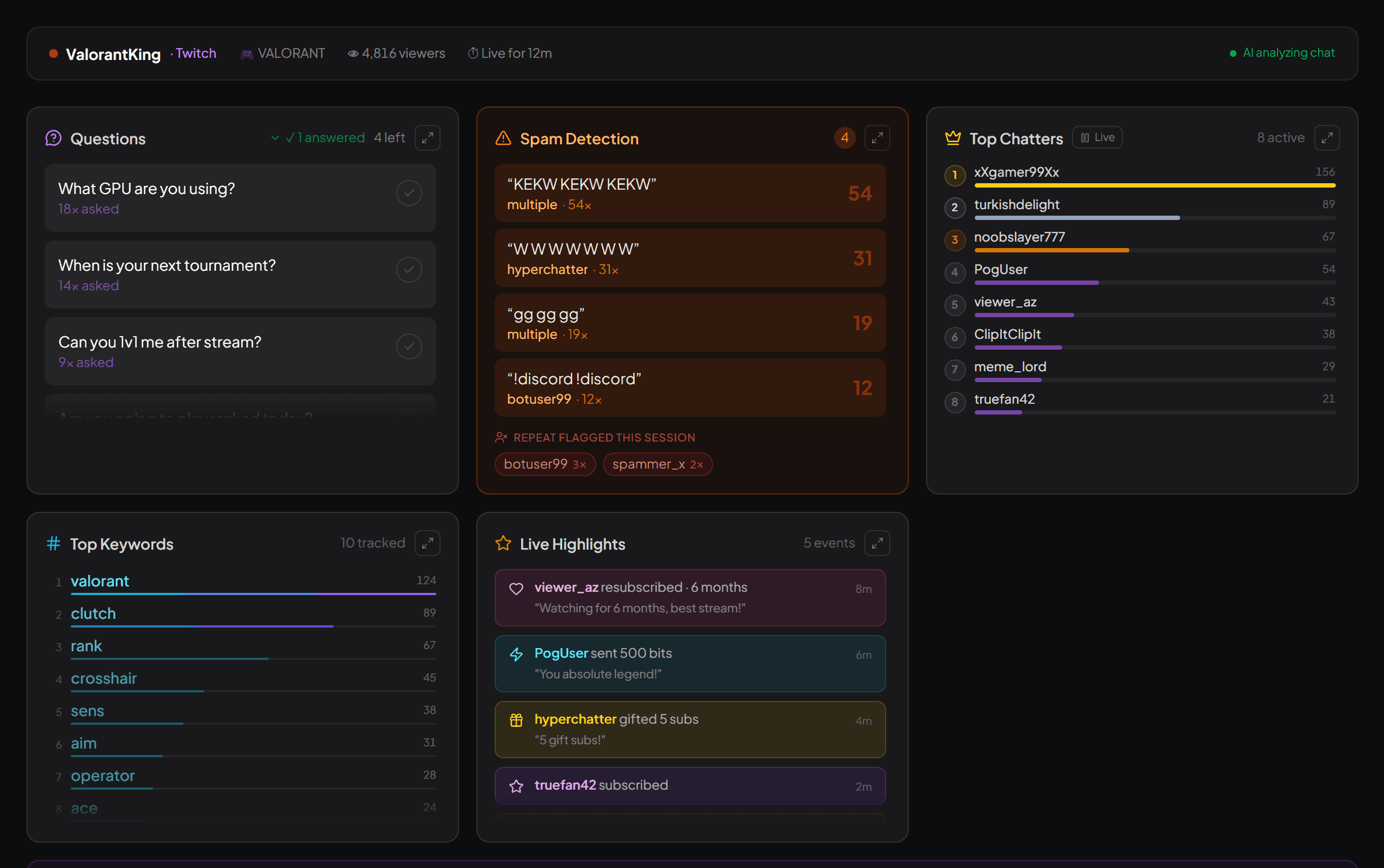
That's the job streamerfriend does — and it isn't a bot. It doesn't join your chat, doesn't post, and needs no mod permissions. It reads your Kick chat live, read-only, and turns it into a dashboard: the top questions ranked by how many people asked, the mood of the room, spam waves as they start, your most active chatters and clip-worthy moments.
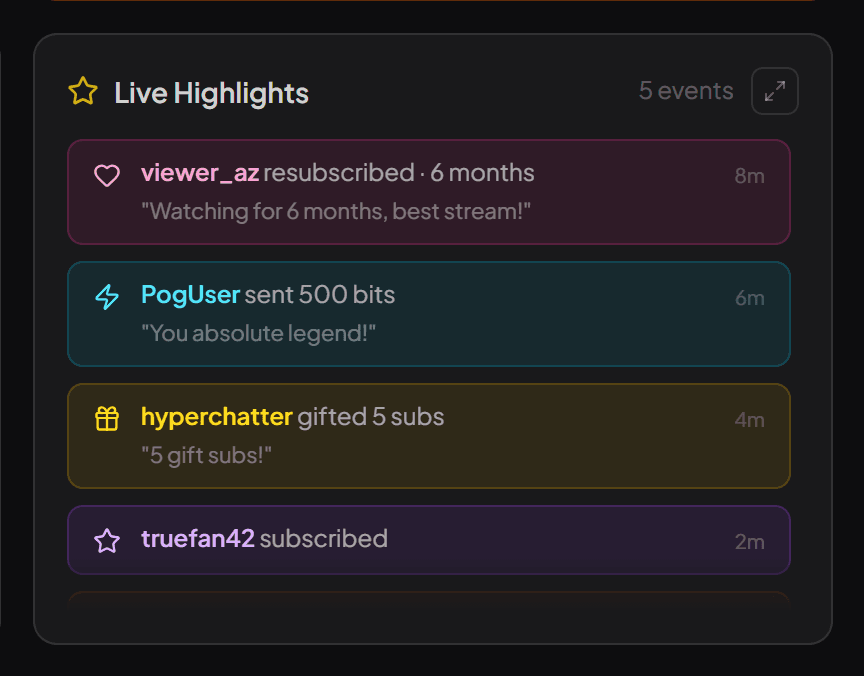
It also works with the bot you already have rather than against it. Known bots like Botrix and KickBot are kept out of your Top Chatters and out of the mood reading, so forty "thanks for the follow" lines don't make the bot look like your most engaged viewer. Those same announcements are read for what they mean instead: a follow, a sub or a tip shows up in your live highlights under the viewer's name.
So the honest setup for most Kick channels is both: a bot for the rules, and something that reads chat for the rest. The Kick chat tools guide covers the wider landscape, and if you're looking back rather than at the live stream, Kick chat logs explains what exists for that.
Quick answers
What is the best chat bot for Kick?
It depends on what you need it to do. Botrix and KickBot are built around Kick, and Streamlabs Cloudbot also supports it. All of them cover the basics — custom commands, timed messages and moderation filters — so the practical choice comes down to which extras you want and which dashboard you find easier.
How do I add a chat bot to my Kick channel?
Sign in to the bot's website with your Kick account, enable it, then make the bot a moderator in your chat with /mod followed by the bot's name. Most bots need mod status, or Kick filters their messages and they can't delete anyone else's.
Are Kick chat bots allowed?
Yes. Kick's own chat list even has a separate category for chat bots. What Kick prohibits is botting metrics — fake viewers, fake followers and paid "chat activity". A bot that runs your commands is fine; a service that fills your chat with fake accounts is not.
Read your chat the easy way
streamerfriend turns fast chat into your top questions, mood, spam and highlights — live, for Twitch, YouTube & Kick.
Start for free →